Zoho Inventory is enough for most small businesses until a plan limit bites
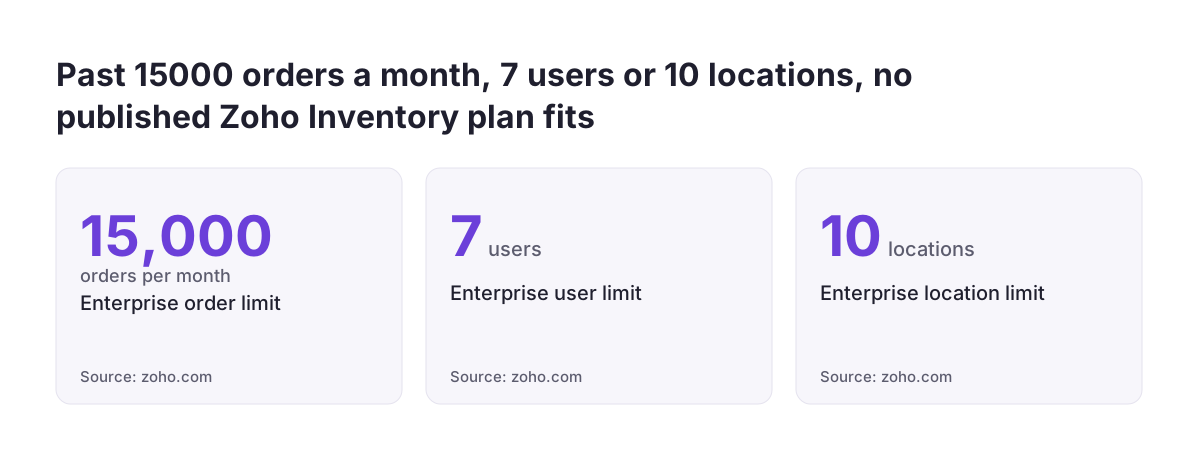
For most small businesses, Zoho Inventory is enough inventory management software. It stays enough until one of three published limits stops you: orders per month, users or stock locations. The free plan covers 50 orders a month, 1 user and 2 locations. The largest published plan covers 15,000 orders, 7 users and 10 locations.
Inventory management software is a system that records what stock you hold, where it is held, and how it moves through purchases, sales and transfers. A small business needs it once the stock figure in a spreadsheet stops matching what is on the shelf. A dedicated tool such as Zoho Inventory keeps those figures tied to the orders that change them.
Zoho's tools stop being enough in three situations:
- Your volume, team or warehouse count outgrows the largest plan.
- You need stock behaviour the product does not list among its features.
- Your processes are not disciplined enough for any system to hold accurate numbers.
The third situation is the most common, and no upgrade fixes it. The sections below cover each one so you can check your own case.
What inventory management software has to do for a small business
Inventory management software for a small business has to answer one question reliably: how many of each item can you sell today, and from where? Every other feature supports that answer. If the answer is wrong, extra features only make the error harder to find.
In practice, the core jobs are few. A suitable tool should handle:
- Recording stock received against purchase orders.
- Reducing stock when sales orders ship.
- Showing stock per location, not just one total.
- Flagging items that are running low, so you reorder in time.
- Handling backorders, where you sell before stock arrives.
Zoho Inventory covers these jobs. Its product page lists stock across multiple warehouse locations, transfers between warehouses and warehouse-specific reports. The Zoho Inventory team's Ask the Experts community session also names backorders and drop shipments among the sales and purchasing operations it supports. A drop shipment is an order your supplier sends straight to your customer, so the goods never enter your warehouse.
If your needs end at this list, you are choosing between plans, not between products. If they go further, the feature and limit sections below matter more than price.
Zoho Inventory plans compared by orders, users and locations
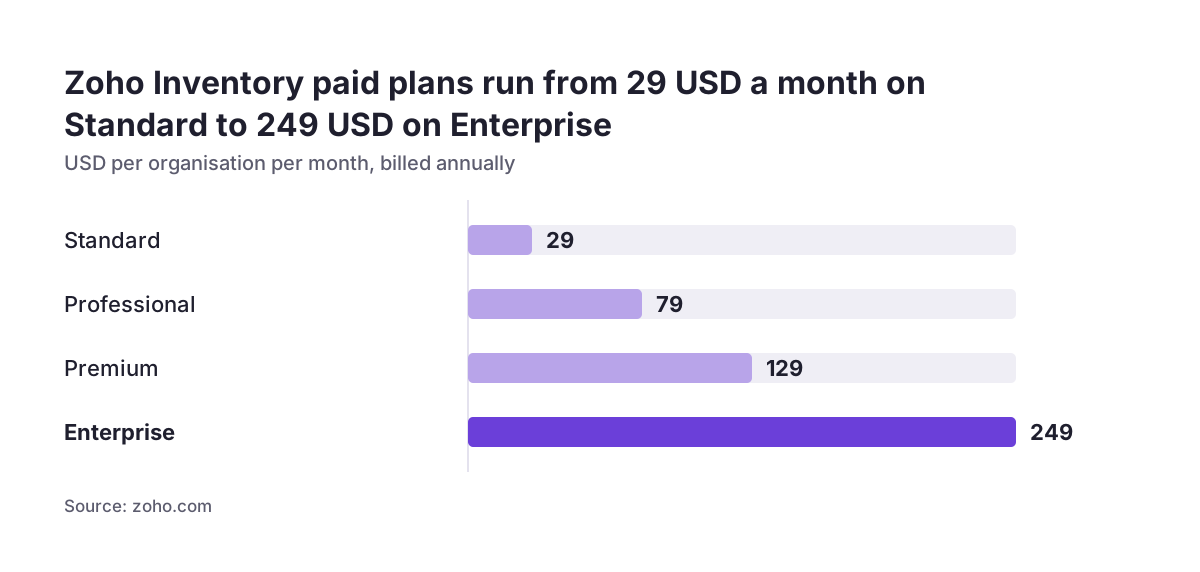
Zoho Inventory sells five plans, and the right one depends on three numbers: monthly orders, users and stock locations. Prices are per organisation per month, billed annually. Zoho's product page lists them in US dollars, so check the price shown for your own region before budgeting.
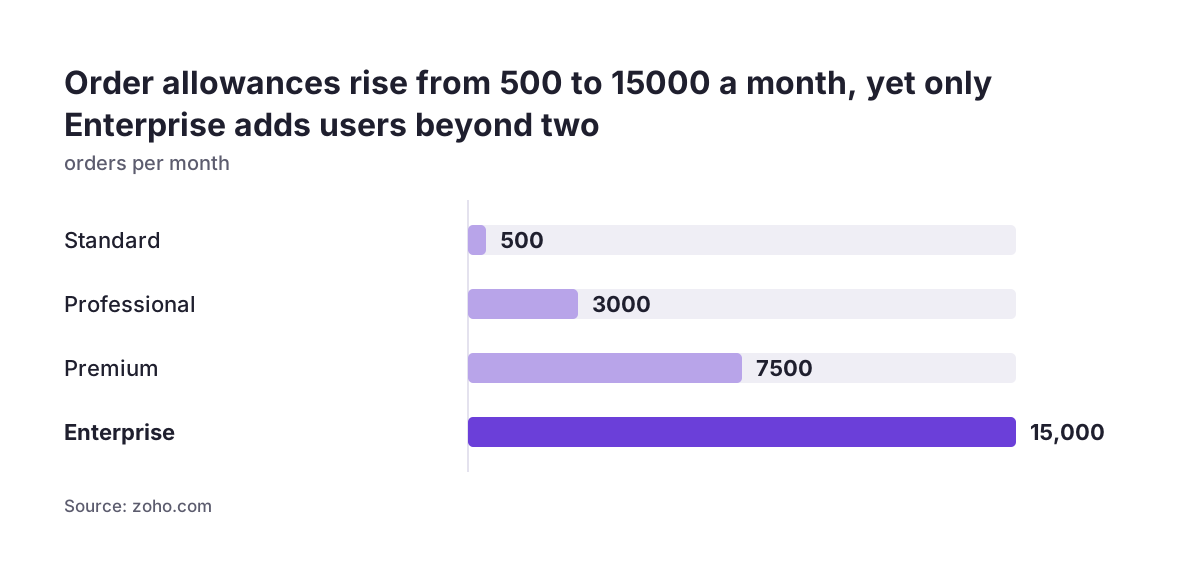
| Plan | Price per month | Orders per month | Users | Locations |
|---|---|---|---|---|
| Free | $0 | 50 | 1 | 2 |
| Standard | $29 | 500 | 2 | 2 |
| Professional | $79 | 3,000 | 2 | 4 |
| Premium | $129 | 7,500 | 2 | 6 |
| Enterprise | $249 | 15,000 | 7 | 10 |
The free plan suits a sole trader testing whether structured stock control is worth the effort. With 50 orders a month and 1 user, it is a trial of the method rather than a long-term home for a growing shop.
Most small businesses with a steady order flow land on Standard or Professional. The move between them is usually driven by locations. Standard allows 2 and Professional allows 4. If you hold stock in a shop, a back room and an external warehouse, you are already past Standard, whatever your order count.
Zoho also offers a 14-day free trial with no credit card required. That is long enough to run real orders through the system before you commit to an annual plan.
User limits, not order limits, decide many Zoho Inventory plan choices
In Zoho Inventory, the user limit often decides your plan before the order limit does. Standard, Professional and Premium all include 2 users. Only Enterprise raises the figure, to 7 users, at $249 per month billed annually.
The user limit matters because stock accuracy depends on who records stock movements. In many small businesses, the person packing orders is not the person buying stock. A third person often handles returns or counts the shelves. If only two people can log in, the others pass notes or messages to someone who can. That relay is exactly where receipts get missed and counts drift.
Before you pick a plan, list everyone who physically touches stock or changes stock records. Then compare that number with the plan table:
- One or two people: Standard, Professional or Premium, chosen by order volume and locations.
- Three to seven people: Enterprise, even if your order volume would fit a cheaper plan.
- More than seven people: the published plans stop here, so treat the limit as a signal to plan beyond them.
Paying for Enterprise only to add users can feel expensive at low volume. It is still usually cheaper than the stock errors created by shared logins or second-hand data entry.
Stock features that justify a dedicated tool: warehouses, batches, serials and barcodes
Batch tracking, serial numbers and barcode scanning are the features that most often justify dedicated inventory management software over a spreadsheet. Zoho Inventory lists all three on its product page, along with RFID tracking.
Batches and serial numbers
Batch tracking groups units produced or received together, so you can trace a faulty batch to the customers who bought it. Serial number tracking does the same for individual units. If you sell food, cosmetics, electronics or anything with a warranty, these features answer the questions a supplier recall or a warranty claim will raise.
Barcodes and RFID
Barcode scanning replaces typing item codes during receiving, picking and counting. It is the simplest way to cut keying errors. RFID reads tags without a direct line of sight, which helps when you count large volumes. Zoho Inventory supports both.
Multiple warehouses
Zoho Inventory manages stock across warehouse locations and transfers items between them. It also produces warehouse-specific reports. The number of locations you can use is set by your plan, from 2 on the free and Standard plans up to 10 on Enterprise.
If you need none of these features and run one location, your stock control is simple. Choose on price and order volume. If you need them, check them during the trial with your own items, not with sample data.
Selling online: Zoho Commerce or Zoho Inventory with marketplaces
If you sell through your own web shop, Zoho Commerce can carry stock control for you. If you sell through marketplaces as well, Zoho Inventory is the better centre. The deciding question is how many sales channels draw on the same stock.
Zoho Commerce is e-commerce software aimed at small and medium businesses, and you can start for free. According to a Zoho Community overview of Zoho Commerce, it includes a store builder and inventory, product, order and shipping management. It also offers real-time reports and multiple payment gateways. It sends low stock alerts, supports zone-wise shipping rates and lets you track orders from placement to delivery on a single screen.
Zoho Inventory supports multichannel selling, with all sales tracked inside it. The Zoho Inventory team names marketplaces such as Amazon, eBay and Etsy among its integrations, including Amazon FBA inventory movements. When one item sells in several places, a single stock figure prevents you from selling the same unit twice.
Shipping is the other check. Zoho Inventory lists carrier integrations with UPS, USPS, DHL, Aramex, FedEx and Canada Post. Several of these serve North American routes. If you ship within the EU, confirm that your usual carrier is covered before you rely on automated labels and tracking.
Zoho Commerce also integrates with Zoho Inventory, so you can start with one and add the other as your channels grow.
Keeping stock and accounts connected in Zoho Books and the wider Zoho suite
Stock control works best when stock records and accounting share one source of figures. That way, the value of your stock and the cost of what you sold do not have to be reconciled by hand. For a small business already using Zoho Books for its accounts, the decision is how stock data reaches the ledger.
Zoho Commerce integrates with Zoho Books, Zoho Inventory, Zoho CRM and Zoho SalesIQ. This means an online store can feed orders into the same records your accountant works from. Zoho Inventory also integrates with Zoho Desk. Support agents can then see order and shipment details when a customer asks where a parcel is. If you are setting up support at the same time, our guide to help desk software for a small business in its first year covers the Desk side.
For links outside the Zoho integrations, Zoho Inventory can trigger actions in third-party apps through webhooks. A webhook is an automatic message one system sends to another when an event happens, such as an order shipping. If you plan to automate across several apps, start with simple, well-tested flows. Our article on first workflows in Zoho Flow for a small business shows a sensible starting set.
Reporting is the last link. The Zoho Inventory team lists CRM and analytics integrations among the topics it supports. Once stock, sales and accounts sit in Zoho, Zoho Analytics can combine them into one view of margin by product.
Why inventory setups fail after go-live, whatever the software
Inventory setups usually fail after go-live because the opening figures were wrong or because stock moves outside the system. Weak software is rarely the cause. A tool can only report what people record. Every unrecorded receipt, return or breakage widens the gap between the screen and the shelf.
At Svennis we do not switch on stock tracking until opening quantities have been physically counted and signed off per location. Figures imported straight from an old spreadsheet tend to produce negative stock within weeks, and the team then stops trusting the system.
The other common failure points are predictable:
- Returns not booked back in: returned goods go back on the shelf but not into the system, so items show as out of stock while they sit in the warehouse.
- Transfers done physically but not digitally: stock moves between locations, but the transfer is never recorded, so one site shows a surplus and the other a shortage.
- Shared logins: people without their own user account record movements through someone else, so nobody can trace who changed what.
- Item duplicates: the same product is created twice under slightly different names, and stock splits between the two records.
Each of these failures is a process problem, and each one is cheaper to prevent than to repair. Agree on who records each type of movement before go-live. Give every person who touches stock their own login, even if that changes your plan choice.
Signs a small business needs more than Zoho Inventory's standard plans
A small business needs more than Zoho Inventory's published plans when its volume, team or locations pass the Enterprise limits. Those limits are 15,000 orders a month, 7 users and 10 locations. Below those figures, a plan change usually solves a capacity problem.
Capacity is not the only sign. Look more closely at your requirements if any of these apply:
- Your process depends on stock behaviour you cannot find among the features Zoho lists, and the trial confirms it is missing.
- Your shipping relies on a carrier that is not among the listed integrations, and you would otherwise rebuild labels by hand.
- Your industry or country imposes stock or invoicing rules you must evidence.
Country rules deserve a note, because they differ across the EU. Zoho states that Zoho Inventory is VERI*FACTU compliant in Spain, which concerns invoicing requirements there. That statement covers Spain only. If you trade in another member state, check its own rules rather than assuming the Spanish position applies to you.
When you do outgrow the standard plans, the move is not automatically away from Zoho. Often the answer is Zoho Inventory plus integrations or a custom extension. The time to judge that is when the gap is specific and documented, not when the team is simply frustrated.
Next steps: test Zoho Inventory with real orders before you migrate stock
The practical next step is a short, structured trial with your own items and orders. Zoho Inventory's 14-day free trial needs no credit card, which is enough for a fair test if you prepare first.
- Count your people and places. List everyone who records stock and every location that holds it. Compare both numbers with the plan table before you look at price.
- Pick ten representative items. Include anything batch-tracked, serialised or barcoded, and run purchases, sales, a return and a transfer through each.
- Test your channels. Connect your web shop or a marketplace if you sell online, and confirm that your carrier is supported.
- Check the accounting link. Make sure stock movements reach your accounts in a form your accountant accepts.
- Plan the opening count. Schedule a physical count per location for the day you go live, and agree on who signs it off.
If you want to see the product first, Zoho runs a free one-hour live Zoho Inventory webinar every weekday at 3:00 PM IST. Our Zoho Inventory setup page explains how we approach stock and order configuration if you would rather not run the setup alone.