What Is Zoho One, Really?
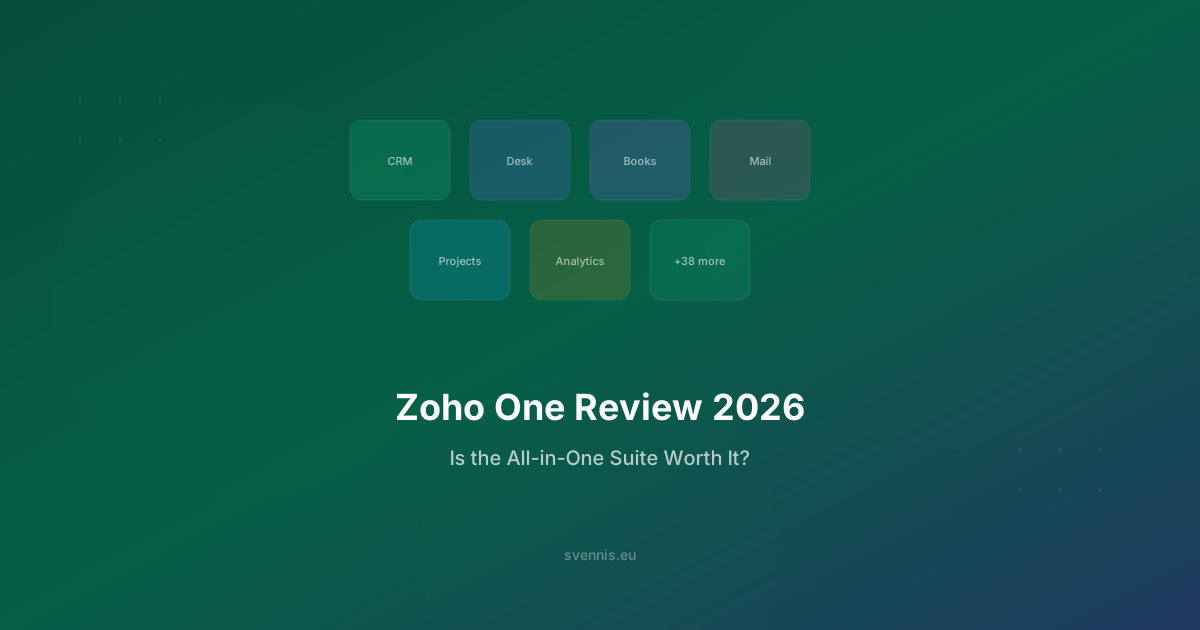
Zoho One is Zoho's all-in-one business operating system - a bundle of 50+ integrated applications covering CRM, marketing, customer support, accounting, HR, project management, and more, all for a single per-user price.
Think of it this way: instead of buying Salesforce for CRM, HubSpot for marketing, Zendesk for support, Xero for accounting, and Monday.com for projects - you get one suite that does all of it, with native integration between every app.
At €37/user/month (billed annually), it's one of the most aggressive value propositions in business software. But is the value real, or is it a "jack of all trades, master of none"?
We've implemented Zoho One over 200 times since 2011 as a Zoho Premium Partner. Here's our unfiltered review.
The Pricing Math: Why It's Hard to Ignore
Zoho One Pricing (2026)
- All Employees plan: €37/user/month (every employee must be on Zoho One)
- Flexible plan: €90/user/month (only certain employees need access)
The All Employees plan is where the value lies. For a 25-person company:
Zoho One: €925/month (€11,100/year)
What the Same Tools Would Cost Separately
| Function | Standalone Tool | Monthly Cost (25 users) |
|---|---|---|
| CRM | Salesforce Professional | €2,000 |
| Marketing | HubSpot Marketing Pro | €792 |
| Helpdesk | Zendesk Professional | €2,225 |
| Accounting | Xero Growing | €59 |
| Project Mgmt | Monday.com Pro | €400 |
| HR | BambooHR | ~€400 |
| Google Workspace | €300 | |
| Total | €6,176/month |
Zoho One saves roughly €5,250/month (€63,000/year) compared to buying equivalent tools separately. Even if you discount this by 50% (because you wouldn't use all 50+ apps), the savings are still over €30,000/year.
For European SMBs, this isn't theoretical - it's the difference between hiring another team member or spending that budget on software licenses.
The 10 Apps That Make Zoho One Worth It
Not all 50+ apps are created equal. Based on our implementation experience, these are the ones that deliver the most value:
1. Zoho CRM - The Core
The CRM is the heart of Zoho One. Lead management, pipeline tracking, automation, and AI-powered insights. It competes directly with Salesforce at a fraction of the price. With Zoho One, you get the Enterprise tier of CRM - the same tier that costs €40/user/month standalone.
2. Zoho Desk - Customer Support
Omnichannel ticketing (email, phone, chat, social media), knowledge base, customer portal, and SLA management. We implemented this for UPEX, transforming their customer service operations. Comparable to Zendesk Professional.
3. Zoho Campaigns - Email Marketing
Email marketing with drag-and-drop builder, A/B testing, automation workflows, and - critically - no per-contact pricing. Included in Zoho One. This alone can replace HubSpot's Marketing Hub for most businesses.
4. Zoho Analytics - Business Intelligence
Create dashboards and reports pulling data from any Zoho app (and external sources). The analytics engine connects to CRM, Desk, Campaigns, Books, and more, giving you a unified view of your entire business.
5. Zoho Books - Accounting
Full accounting software with multi-currency support, VAT handling, bank reconciliation, and e-invoicing. For European businesses, the multi-country tax compliance is particularly valuable.
6. Zoho Projects - Project Management
Task management, Gantt charts, time tracking, and client portals. It's not as flashy as Monday.com, but it integrates natively with CRM (link projects to deals) and Desk (link projects to support tickets).
7. Zoho People - HR Management
Employee database, leave management, attendance tracking, performance reviews, and onboarding workflows. Particularly useful for European companies managing employees across multiple countries with different leave policies.
8. Zoho Sign - E-Signatures
Legally binding e-signatures (eIDAS compliant for EU). Send contracts directly from CRM deals. Replaces DocuSign or HelloSign.
9. Zoho Flow - Integration Platform
Connect Zoho apps with 900+ third-party apps. Like Zapier, but included in your subscription. Set up automated workflows between any apps in your stack.
10. Zoho Creator - Low-Code Platform
Build custom applications without hiring developers. We've used Creator to build 5 published Marketplace extensions (all rated 5/5), including custom connectors for SAP, PrestaShop, and European accounting tools.
What Works Brilliantly
Native Integration Between Apps
This is Zoho One's superpower. When a lead becomes a deal in CRM, the quote can auto-generate in Zoho Books. When a customer submits a support ticket in Desk, the CRM shows it on their record. When a project completes in Projects, the invoice triggers in Books.
This cross-app data flow is something that takes months and thousands of euros to build with separate tools. With Zoho One, it works out of the box.
In our implementation for World Class Romania (47 fitness clubs), this integration was transformative - member data flowed seamlessly from CRM to billing to support, eliminating manual data entry across departments.
Administration Console
The Zoho One admin panel gives IT administrators a single dashboard to manage users, permissions, and app access across all 50+ apps. Add a new employee? One account creation, selective app provisioning, done.
Unified Search
Search across all Zoho apps simultaneously. Looking for a customer? You'll find their CRM record, support tickets, invoices, and project history in one search.
Consistent UX
All Zoho apps share the same design language. Learn one app, and the others feel familiar. This dramatically reduces training time compared to onboarding teams onto 5-7 different software products.
What Doesn't Work (Honest Limitations)
No review is useful without honesty about limitations. Here's where Zoho One falls short:
Not Every App Is Best-in-Class
The core apps (CRM, Desk, Campaigns, Books, Analytics) are competitive with dedicated tools. But some of the 50+ apps are more basic:
- Zoho Social: Functional but not as feature-rich as Hootsuite or Buffer for social media management
- Zoho Meeting: Works fine but can't match Zoom or Teams for video conferencing
- Zoho Sites: Basic website builder - not a replacement for WordPress or custom development
The good news: you don't have to use every app. Most businesses use 8-15 of the 50+ apps. The rest are bonuses you might grow into.
Learning Curve for the Full Suite
While individual apps are straightforward, understanding how they all connect takes time. This is where having an experienced implementation partner makes a significant difference. We typically start clients with 3-5 core apps and expand over 6-12 months.
Mobile Apps Are Uneven
Zoho CRM's mobile app is excellent. Zoho Desk's mobile app is good. Some of the smaller apps have mobile experiences that feel like afterthoughts. This is improving with each release, but it's worth noting if your team is heavily mobile.
Support Response Times
Zoho's standard support can be slow (24-48 hours). Premium support is faster but costs extra. This is where working with a local partner like Svennis becomes valuable - you get same-day support from people who know your implementation.
Why Zoho One Is Particularly Strong for European Businesses
Multi-Currency and Multi-Language
Zoho One handles multiple currencies natively across CRM, Books, and Inventory. For European businesses trading in EUR, GBP, SEK, NOK, DKK, CHF, and PLN, this is essential. Exchange rates can be automated (we've even built a custom extension for ECB exchange rate feeds).
VAT and Tax Compliance
Zoho Books handles EU VAT rules including:
- Intra-community supply (reverse charge mechanism)
- Multi-country VAT rates
- Digital services VAT (OSS)
- E-invoicing compliance (Peppol, FatturaPA)
EU Data Residency
Your data is stored in EU data centres (Amsterdam, Dublin). GDPR compliance tools are built into every app - consent management, data portability, right to erasure, processing records.
European Working Patterns
Zoho People handles EU-specific HR requirements: statutory leave policies per country, working time directives, and multi-country payroll integrations.
Integration with European Tools
Through our custom integrations at Svennis, we've connected Zoho One with:
- SAP: For manufacturing companies needing ERP-CRM synchronization (see our Salus Controls case study)
- PrestaShop: For e-commerce businesses (see our Tehnodent case study)
- European accounting tools: Exact Online, Visma, e-conomic, SmartBill
- European payment/invoicing: Mollie, Peppol-compliant e-invoicing
Who Should (and Shouldn't) Buy Zoho One
Zoho One Is Ideal For:
- Growing businesses (10-200 employees) that need CRM + marketing + support + operations and want to avoid stitching together 7+ separate tools
- Companies currently spending €3,000+/month on multiple SaaS tools - the consolidation savings are immediate
- European businesses that need multi-currency, multi-VAT, and GDPR compliance across their entire tech stack
- Businesses planning to scale - start with CRM and Desk, grow into Analytics, Books, Projects, and People as needed
- Companies that value data unification - one customer record visible across sales, support, billing, and projects
Zoho One Is NOT Ideal For:
- Solo founders or 1-2 person teams - the Free or Standard CRM is enough; Zoho One's value comes from the suite
- Enterprises with 500+ employees that need SAP-level ERP or industry-specific compliance (banking, pharma)
- Companies deeply embedded in Microsoft 365 or Google Workspace that don't want to change email/calendar/document platforms (though Zoho integrates with both)
- Businesses that only need one function - if you truly only need CRM, buy standalone Zoho CRM instead
The Right Way to Implement Zoho One
The biggest mistake businesses make with Zoho One is trying to deploy all 50+ apps at once. Here's the approach that works based on our 200+ implementations:
Phase 1: Core Foundation (Weeks 1-4)
- Zoho CRM - leads, contacts, deals, pipeline
- Zoho Desk - if customer support is active
- Zoho Mail - if migrating email
- Data migration from existing tools
- Team training on core workflows
Phase 2: Automation and Marketing (Weeks 5-8)
- Zoho Campaigns - email marketing and automation
- Zoho SalesIQ - website live chat connected to CRM
- Workflow automation rules in CRM
- Blueprint process enforcement for sales
Phase 3: Operations (Weeks 9-12)
- Zoho Books - accounting and invoicing
- Zoho Projects - project delivery management
- Zoho Analytics - cross-app dashboards
- Custom integrations with existing tools
Phase 4: Growth (Months 4-6)
- Zoho People - HR management
- Zoho Sign - contract automation
- Advanced analytics and reporting
- Additional custom integrations
This phased approach ensures high adoption (the most critical success factor) and lets your team build confidence with each app before adding the next.
The same is true of Zia, the AI layer included across the suite. It gets switched on far more often than it gets used, because making it do useful work is an implementation project rather than a setting. That is the work we do at Svennis AI.
Final Verdict: Is Zoho One Worth It in 2026?
Yes - for the right business, Zoho One is the best value in business software.
The combination of breadth (50+ apps), depth (CRM and Desk genuinely compete with dedicated tools), integration (native cross-app data flow), and pricing (€37/user/month for everything) is unmatched in the market.
Is every app best-in-class? No. But the integrated suite advantage - having your entire business run on connected tools - outweighs the marginal feature gap in individual apps for most businesses.
The key to success is implementation quality. The platform is powerful, but realizing its full potential requires proper setup, customization to your processes, and phased rollout.
Get Started with Expert Implementation
At Svennis Cloud Solutions, we've been implementing Zoho One across Europe since the suite launched. As a Zoho Premium Partner, we provide:
- Free strategy call - we'll assess whether Zoho One fits your business
- Phased implementation - start with what matters most, expand over time
- Custom integrations - connect Zoho with your existing European business tools
- Ongoing support - same-day response from people who know your setup
Book your free strategy call - let's find out if Zoho One is the right move for your business.