Why Custom Integrations Matter (Data Silos Cost Money)
Your CRM is supposed to be the single source of truth for your customer relationships. But if it can't talk to your ERP, your e-commerce platform, your invoicing system, and your support desk, it becomes just another data silo - another tab to check, another system to update manually, another source of conflicting information.
We see this pattern constantly: a company implements Zoho CRM, gets the sales pipeline working beautifully, and then realises that their reps are still alt-tabbing to SAP to check inventory, opening SmartBill to verify invoices, and logging into PrestaShop to see order status. The CRM has good data. The ERP has good data. But they don't match, and nobody trusts either one completely.
This is the integration gap - and it's where most CRM implementations either become transformative or become shelfware.
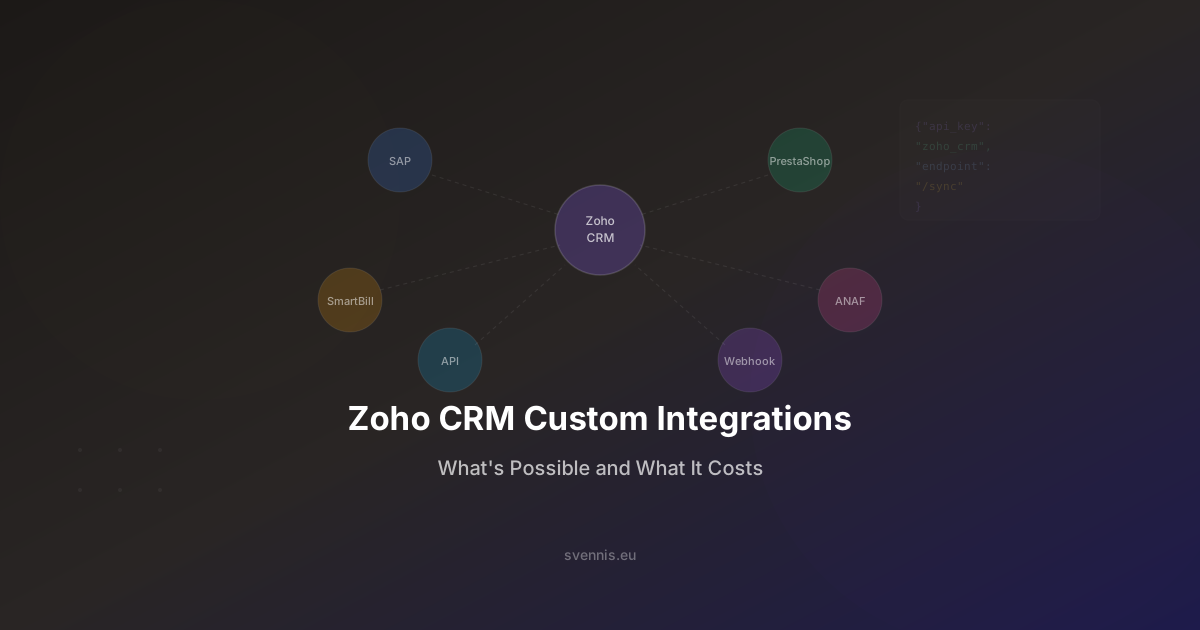
At Svennis Cloud Solutions, custom integrations are our core speciality. Since 2011, we've built integrations connecting Zoho CRM to SAP, PrestaShop, government tax APIs, banking systems, and more. We've published 5 Zoho Marketplace extensions, all rated 5/5. This article shares what we've learned about what's possible, what it costs, and how to decide what your business actually needs.
The Four Types of Zoho CRM Integrations
Not all integrations are created equal. Understanding the four types helps you choose the right approach for each connection in your tech stack.
1. Native Zoho Marketplace Extensions
Pre-built integrations published on the Zoho Marketplace. Install them, configure settings, and they work.
- Pros: Quick to deploy (minutes to hours). Maintained by the publisher. Often free or low-cost.
- Cons: One-size-fits-all. Limited customization. May not cover your specific workflow.
- Best for: Common integrations (Mailchimp, QuickBooks, Shopify, Google Ads).
- Cost: Free to €10-50/month per extension.
2. iPaaS/Middleware (Zoho Flow, Zapier, Make)
Visual, no-code platforms that connect apps through triggers and actions. "When a deal closes in Zoho CRM, create an invoice in Xero."
- Pros: No coding required. Fast to set up. Good for simple, one-directional workflows.
- Cons: Limited for complex logic. Per-task pricing can get expensive at volume. Not ideal for bidirectional sync. Fragile - if the middleware changes their connector, your integration breaks.
- Best for: Simple automations: new lead notification to Slack, form submission to CRM, deal close to invoicing.
- Cost: Zoho Flow is included free with Zoho CRM. Zapier/Make: €20-100/month depending on task volume.
3. Custom API Integrations
Purpose-built integrations using Zoho's REST APIs and the external system's APIs. This is where a development partner like Svennis comes in.
- Pros: Tailored exactly to your business process. Handles complex logic, bidirectional sync, data transformation, and error handling. Scales with your business.
- Cons: Requires development investment. Needs ongoing maintenance. Takes weeks, not hours.
- Best for: ERP integrations (SAP, Oracle), e-commerce platforms, government/tax APIs, any scenario requiring bidirectional real-time sync.
- Cost: €2,000-30,000+ depending on complexity (detailed breakdown below).
4. Webhook-Based Integrations
Event-driven integrations where Zoho CRM sends HTTP notifications to an external endpoint when something happens (deal stage change, new contact created, etc.).
- Pros: Real-time. Lightweight. Good for notifications and one-way data pushes.
- Cons: One-directional by default. External system must have an endpoint to receive webhooks. No retry logic unless custom-built.
- Best for: Real-time notifications, triggering external workflows, feeding data warehouses or analytics platforms.
- Cost: €500-3,000 for setup and configuration.
Real Integration Examples from Our Project Portfolio
Theory is useful, but real examples are better. Here are five integrations we've built for European businesses, with enough detail to help you estimate what your own integration might require.
SAP Business One ↔ Zoho CRM (Salus Controls)
The challenge: Salus Controls, a European heating controls manufacturer, needed their sales team to see real-time inventory levels, order status, and customer payment history from SAP B1 - directly inside Zoho CRM. Meanwhile, new leads captured in Zoho CRM needed to flow back to SAP as customer records.
- Integration type: Custom API, bidirectional
- Data synced: Customers, contacts, products, inventory levels, sales orders, invoices, payment status
- Sync frequency: Near real-time (every 5 minutes for inventory, event-triggered for orders)
- Complexity: High - SAP B1's Service Layer API requires careful authentication, pagination, and error handling. Data mapping between SAP's structure and Zoho's modules needed extensive field-level configuration.
- Result: Sales reps stopped calling the warehouse to check stock. Order-to-invoice cycle time dropped measurably. Management got unified reporting across both systems.
PrestaShop ↔ Zoho CRM (Tehnodent)
The challenge: Tehnodent, a dental equipment distributor, ran their e-commerce store on PrestaShop but managed customer relationships in Zoho CRM. Online orders weren't visible in CRM, and the sales team had no context about customers' purchase history when on follow-up calls.
- Integration type: Custom API, bidirectional
- Data synced: Orders, customers, products, order status updates
- Sync frequency: Real-time (webhook-triggered on new orders, polling for status updates)
- Complexity: Medium - PrestaShop's API is well-documented but required custom data transformation for product variants and discount handling.
- Result: Complete customer view in CRM - sales reps see a customer's full purchase history (online + offline) in one place. Automated follow-up workflows trigger based on order value and product category.
ANAF (Romanian Tax Authority) ↔ Zoho
The challenge: Romanian businesses are required to submit e-invoices to ANAF (Agentia Nationala de Administrare Fiscala). This was a manual, error-prone process involving XML generation, digital signatures, and API submission.
- Integration type: Custom API, one-directional (CRM to ANAF) with status callback
- Data synced: Invoice data, submission status, validation results
- Complexity: High - ANAF's API has strict XML schema requirements, mandatory digital signatures, and complex validation rules. Error responses require specific handling and user feedback.
- Result: E-invoice submission from within Zoho CRM in two clicks. Validation errors are displayed immediately. Submission status is tracked automatically.
ECB & BNR Exchange Rates ↔ Zoho
The challenge: Multi-currency businesses needed daily exchange rate updates in Zoho CRM for accurate deal valuation and invoicing. Manual updates were slow and frequently forgotten.
- Integration type: Scheduled API pull
- Data synced: Daily exchange rates from ECB (European Central Bank) and BNR (National Bank of Romania)
- Sync frequency: Once daily at 8:00 AM CET
- Complexity: Low - well-documented public APIs with stable XML/JSON responses.
- Result: Accurate, automatic currency conversion in all CRM modules. No more manual rate entry. Published as a Marketplace extension (5/5 rated).
SmartBill ↔ Zoho CRM
The challenge: SmartBill is the most popular invoicing platform in Romania. Clients needed invoices generated from Zoho CRM deals to automatically appear in SmartBill with correct fiscal data (CUI, fiscal address, VAT status).
- Integration type: Custom API, bidirectional
- Data synced: Invoices, payment status, client fiscal data
- Complexity: Medium - SmartBill's API is clean but requires Romanian-specific fiscal validation (CUI format, VAT registration checks).
- Result: One-click invoice generation from CRM deals. Payment status synced back to CRM. Finance team stopped re-entering data manually.
What Affects Integration Cost: The 6 Complexity Factors
When clients ask "How much does a custom integration cost?", the honest answer is "It depends." But it depends on specific, measurable factors. Here are the six that matter most:
1. API Quality of the External System
A well-documented, RESTful API with clear authentication and consistent responses (like Zoho's own APIs) is faster and cheaper to integrate. A legacy SOAP API with sparse documentation and inconsistent error handling (like some older ERP systems) takes 2-3x longer.
- Good API: Stripe, Shopify, Zoho - modern REST, clear docs, sandbox environments
- Moderate API: SAP B1 Service Layer, PrestaShop - functional but requires experience
- Challenging API: Government systems (ANAF, HMRC), legacy ERPs - strict requirements, limited documentation, no sandbox
2. Data Volume and Sync Frequency
Syncing 100 contacts once a day is trivial. Syncing 50,000 orders in real-time with inventory updates every 5 minutes is not. Higher volumes require pagination handling, rate limit management, batch processing, and queue systems.
3. Sync Direction
- One-way (push or pull): Simpler. Data flows from A to B. Conflicts don't exist.
- Bidirectional: Complex. What happens when the same record is edited in both systems simultaneously? You need conflict resolution rules, master system designation, and careful field-level sync logic.
4. Data Transformation Complexity
If both systems use the same data structure, mapping is straightforward. But typically, SAP stores an "address" as 5 separate fields while Zoho uses 8. A "product" in PrestaShop has variants, combinations, and attributes that don't map 1:1 to Zoho's product module. Every transformation rule adds development time.
5. Error Handling and Recovery
What happens when the external API is down? When a record fails validation? When the sync runs but Zoho's API rate limit is reached? Robust integrations need retry logic, error queues, notification systems, and manual resolution workflows. This is the difference between a demo-quality integration and a production-grade one.
6. Compliance and Security Requirements
Integrations handling financial data (invoices, payments) or personal data (GDPR scope) require additional security measures: encrypted transport, audit logging, data minimization, and access controls. Government API integrations (like ANAF) may require digital certificates and strict authentication protocols.
Typical Timelines and Pricing: What to Budget
Based on our portfolio of 200+ implementations, here are realistic ranges for custom Zoho CRM integrations. These assume a professional implementation with proper error handling, testing, and documentation - not a quick hack.
Simple Integrations (€2,000-5,000 | 1-2 Weeks)
- One-directional data sync (e.g., form submissions to CRM, CRM deals to invoicing)
- Well-documented external API
- 5-10 field mappings
- Daily or event-triggered sync
- Basic error notification (email alerts on failure)
Examples: Mailchimp audience sync, Google Forms to CRM leads, CRM to Slack notifications, exchange rate updates.
Medium Integrations (€5,000-15,000 | 3-6 Weeks)
- Bidirectional sync between two systems
- Moderate API complexity
- 15-30 field mappings with data transformation
- Near real-time sync (5-15 minute intervals)
- Error queuing with retry logic
- Admin dashboard for sync monitoring
Examples: PrestaShop ↔ Zoho CRM, SmartBill ↔ Zoho CRM, Shopify ↔ Zoho CRM with inventory sync, e-signature ↔ deal workflow.
Complex Integrations (€15,000-30,000+ | 2-3 Months)
- Enterprise ERP integration (SAP, Oracle, Dynamics)
- Multiple modules synced (customers + orders + inventory + invoices + payments)
- Real-time bidirectional sync with conflict resolution
- Complex data transformation and business logic
- Government/compliance API requirements (digital signatures, strict schemas)
- Full error handling with resolution workflows
- Comprehensive testing across all scenarios
- Documentation and training for internal team
Examples: SAP B1 ↔ Zoho CRM (full suite), ANAF e-invoicing integration, multi-warehouse inventory management, custom ERP connector.
Ongoing Maintenance
Budget 10-15% of the initial integration cost per year for maintenance. APIs change, Zoho releases updates, your business processes evolve. A well-maintained integration runs for years. An unmaintained one breaks within 6-12 months.
Svennis Marketplace Extensions: Proven, Rated 5/5
Beyond custom project work, we've published 5 extensions on the Zoho Marketplace - all rated 5/5 by users. These extensions solve common problems we encountered repeatedly across client implementations, so we productized the solutions.
What Our Extensions Cover
- Exchange rate automation: Automatic daily sync of ECB and BNR exchange rates into Zoho CRM, eliminating manual currency updates for multi-currency businesses.
- Romanian fiscal integrations: Connecting Zoho with Romanian-specific tools and government APIs that have no native Zoho support.
- Data enrichment and validation: Automating data quality checks that would otherwise require manual review.
Why Published Extensions Matter
Any partner can claim integration expertise. Published Marketplace extensions prove it. Each extension goes through Zoho's review process, must meet their quality standards, and is rated by actual users. Our 5/5 rating across all extensions isn't a marketing claim - it's verified by the Zoho Marketplace.
This also means we understand the Zoho platform at a level deeper than typical implementation partners. We don't just configure Zoho - we extend it. When a client needs a capability that doesn't exist out of the box, we can build it at the platform level, not just as a workaround.
You can view our extensions on the Zoho Marketplace - search for Svennis.
Build vs. Buy: When to Use Existing Connectors vs. Custom Development
Not every integration needs to be custom-built. Here's a practical decision framework:
Use a Native Marketplace Extension When:
- The integration covers a common use case (email marketing sync, payment gateway, social media)
- Your workflow matches the extension's default configuration - you don't need custom field mappings or special logic
- The extension is actively maintained (check last update date and user reviews)
- Data volume is moderate (under 10,000 records per sync)
Use Zoho Flow / Zapier / Make When:
- You need a simple, one-directional automation (trigger → action)
- The integration is between two well-supported apps with existing connectors
- You need it running today, not in 3 weeks
- The workflow has fewer than 5 steps and doesn't require complex conditional logic
- Monthly task volume stays within affordable pricing tiers
Build a Custom Integration When:
- You need bidirectional, real-time sync between two systems
- The external system is an ERP, government API, or niche European tool without a pre-built connector
- Your data transformation requirements are complex (different data structures, business logic in the mapping)
- Data accuracy is business-critical - financial data, compliance data, inventory levels that affect customer-facing operations
- You need robust error handling - not just "retry 3 times and give up" but a proper error queue with resolution workflows
- The integration is central to your business process - if it breaks, people can't do their jobs
The Hybrid Approach
In practice, most businesses use a combination. A typical Svennis client might have:
- 3-5 native extensions for standard tools (email, calendar, social)
- 2-3 Zoho Flow automations for simple notifications and data pushes
- 1-2 custom integrations for their core business systems (ERP, e-commerce, or industry-specific software)
The custom integrations cost more upfront but deliver the highest ROI because they eliminate the manual data entry and process gaps that slow down your core operations.
Next Steps: Get a Free Integration Audit
If you're running Zoho CRM (or considering it) and wondering how to connect it to the rest of your tech stack, here's what we recommend:
Step 1: Map Your Integration Landscape
List every system that contains customer, product, or order data. For each one, note:
- What data needs to flow to/from the CRM
- In which direction (one-way vs. bidirectional)
- How often (real-time, hourly, daily)
- What happens if the integration fails (business impact)
Step 2: Prioritize by Business Impact
Not all integrations are equally urgent. Start with the connection that eliminates the most manual data entry or closes the biggest process gap. For most businesses, this is the ERP or invoicing integration.
Step 3: Get Expert Assessment
Svennis Cloud Solutions offers a free integration audit where we:
- Review your current tech stack and integration needs
- Assess the API capabilities of your external systems
- Recommend the right approach for each integration (native, middleware, or custom)
- Provide a realistic timeline and budget estimate
- Identify quick wins you can implement immediately
With 14+ years of Zoho experience, 5 published Marketplace extensions (all 5/5 rated), and integrations with SAP, PrestaShop, ANAF, SmartBill, and more - we've likely built something similar to what you need.
Book your free integration audit here - we'll assess your integration landscape and give you a clear roadmap. No commitment, no sales pressure, just expert advice from a team that has built this before.