Why Sales Automation Isn't Optional Anymore
Every growing sales team hits the same wall. When you had 3 salespeople, manual processes worked fine - spreadsheets tracked deals, emails were manageable, and the founder knew every customer by name. But at 10, 20, or 50 salespeople, manual processes don't scale.
The numbers tell the story: the average salesperson spends only 28% of their time actually selling. The rest goes to data entry, email, internal meetings, scheduling, and administrative tasks. That means for every 8-hour workday, your salespeople are selling for roughly 2 hours and 15 minutes.
Sales automation fixes this - not by replacing your salespeople, but by eliminating the repetitive tasks that eat their selling time. When done right, automation means more deals closed with the same team, faster response times, and a consistent sales process that doesn't depend on individual discipline.
At Svennis Cloud Solutions, we've automated sales processes for 200+ European businesses - from 5-person startups to the 47-club World Class fitness chain. This guide is based on what actually works in practice, not theory.
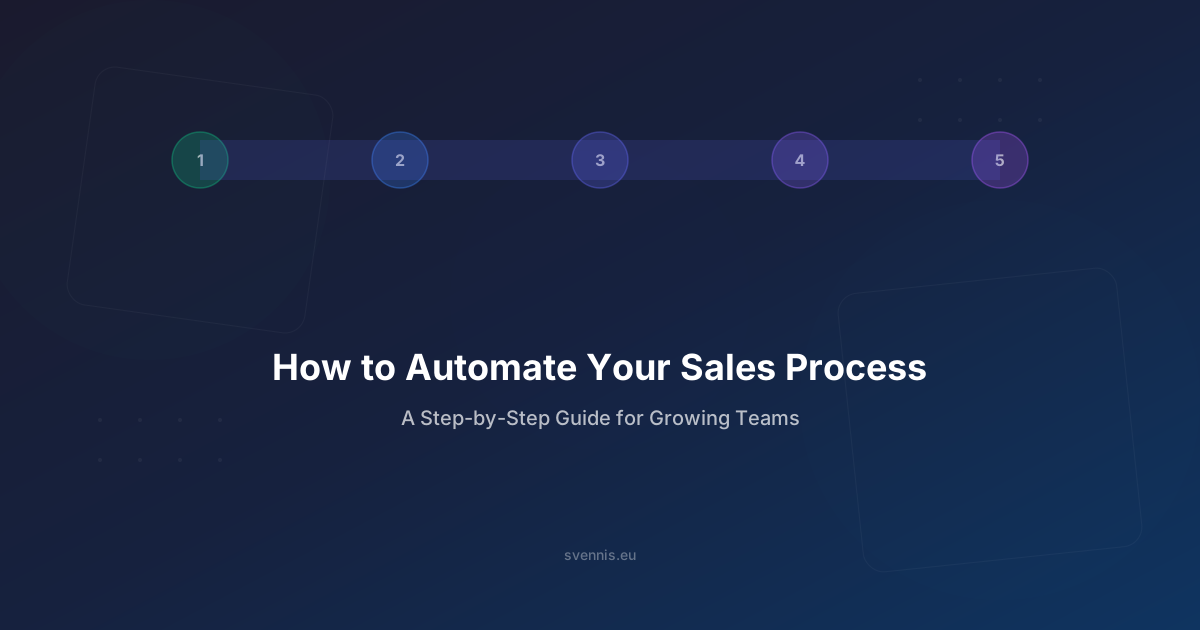
Let's walk through the five areas where automation delivers the biggest impact, step by step.
The 5 Biggest Time-Wasters in Manual Sales
Before diving into solutions, let's identify the problems. These are the five manual tasks that drain the most selling time, based on what we see across our client implementations:
1. Manual Lead Entry
A prospect fills out a contact form, and someone manually copies the data into a spreadsheet or CRM. Sometimes the lead sits in an inbox for hours - or days - before anyone acts on it. Response time is the #1 predictor of lead conversion, and manual entry kills it.
2. Lead Assignment Chaos
The sales manager reviews each new lead and manually assigns it to a salesperson. Some reps get overloaded while others have empty pipelines. Territory conflicts arise. And on weekends or holidays? Leads just wait.
3. Follow-Up Forgetting
A salesperson promises to follow up on Thursday. Thursday arrives, they're busy with other deals, and the follow-up doesn't happen until the following week - if at all. Research shows that 80% of sales require 5+ follow-ups, but 44% of salespeople give up after one.
4. Pipeline Blindness
Deals stall in the pipeline without anyone noticing. A hot prospect that went quiet two weeks ago? Nobody flagged it. A deal that's been in "Proposal Sent" for 30 days? Still sitting there. Without automated alerts, stalled deals are invisible until it's too late.
5. Reporting Drudgery
Every Monday morning, the sales manager spends 2 hours pulling data from the CRM, building a pipeline report in a spreadsheet, and sending it to leadership. By the time the report is ready, the data is already outdated. Manual reporting is slow, error-prone, and always outdated.
Now let's fix each one.
Step 1: Automate Lead Capture - Web Forms, Chatbots, and Integrations
The first step in sales automation is ensuring every lead enters your CRM instantly and automatically, with zero manual data entry.
Web Forms
Your website's contact forms should feed directly into your CRM. In Zoho CRM, this is built-in:
- Web-to-Lead forms: Embed a Zoho CRM form on your website. When a prospect submits, a lead record is created instantly with all form fields mapped to CRM fields.
- Web-to-Contact forms: For existing customer inquiries, create contact records instead of leads.
- Hidden fields: Capture UTM parameters, landing page URL, and referrer source automatically - so you know which marketing channel generated each lead.
Live Chat and Chatbots
Website visitors who engage with live chat are 3x more likely to convert than those who don't. Automate this channel:
- Zoho SalesIQ: Integrates natively with Zoho CRM. When a visitor starts a chat, their information is captured in the CRM. If they're a returning visitor, the agent sees their full history.
- Chatbot qualification: Set up a chatbot to ask qualifying questions (company size, budget, timeline) before routing to a human. The bot creates a pre-qualified lead record in your CRM.
Third-Party Integrations
Leads come from many sources. Automate them all:
- Email inquiries: Parse incoming emails and create lead records automatically
- Social media: Facebook Lead Ads, LinkedIn Lead Gen Forms - sync directly to CRM
- Trade shows and events: Scan business cards with Zoho Card Scanner → instant CRM records
- Partner referrals: Give partners a web form that feeds into your CRM with source attribution
The result: Every lead, from every source, is in your CRM within seconds - not hours or days. No manual entry, no lost leads, and every lead has source attribution for ROI tracking.
Step 2: Automate Lead Assignment - Round-Robin, Territory, and Scoring
Once leads are in your CRM, they need to reach the right salesperson - immediately. Manual assignment creates bottlenecks and delays. Here are three automation strategies:
Round-Robin Assignment
The simplest approach: distribute leads evenly across your sales team in rotation.
- New lead comes in → assigned to the next salesperson in the queue
- Works best for teams where all reps handle similar leads
- In Zoho CRM, this is a built-in assignment rule - no coding required
Territory-Based Assignment
For teams with geographic or industry specializations:
- Define territories by country, region, industry, or company size
- Leads are automatically assigned based on matching criteria
- A lead from Germany goes to your DACH specialist; a manufacturing lead goes to your industrial team
- Zoho CRM's Territory Management module handles complex territory hierarchies
Score-Based Assignment
Route high-value leads to your best closers:
- Assign lead scores based on criteria: company size (+10), visited pricing page (+15), downloaded whitepaper (+5), C-suite title (+20)
- High-scoring leads (80+) go to senior reps; lower-scoring leads go to SDRs for nurturing
- Zoho CRM's scoring rules calculate scores automatically as leads interact with your content
Instant Notification
Assignment without notification is useless. Configure:
- Push notifications: Mobile alert the moment a lead is assigned
- Email notification: With lead details and suggested next action
- SLA timer: If the assigned rep doesn't respond within 30 minutes, escalate to a backup
The result: Every lead reaches the right salesperson within seconds, with zero manager intervention. Response times drop from hours to minutes.
Step 3: Automate Follow-Ups - Email Sequences, Tasks, and Reminders
Follow-up is where deals are won or lost - and where most salespeople fall short. Automation ensures no prospect falls through the cracks.
Email Sequences (Drip Campaigns)
Create pre-built email sequences that trigger automatically based on lead behaviour:
- New lead sequence: Day 1: Welcome email with introduction. Day 3: Value proposition email. Day 7: Case study relevant to their industry. Day 14: "Still interested?" check-in.
- Post-demo sequence: Day 1: Thank you + meeting summary. Day 3: Additional resources. Day 7: "Any questions?" follow-up. Day 14: Decision timeline check.
- Re-engagement sequence: For leads that went cold - trigger after 30 days of no activity with fresh content or a new offer.
In Zoho CRM, use Workflow Rules + Email Templates or Zoho Campaigns for more sophisticated sequences with open/click tracking.
Automated Task Creation
Don't rely on salespeople to remember - create tasks automatically:
- When a deal moves to "Proposal Sent" → create a task: "Follow up in 3 days"
- When a lead opens your email → create a task: "Call within 2 hours"
- When a deal has been in a stage for 14 days → create a task: "Review stalled deal"
Smart Reminders
- Activity reminders: Automatic reminders 30 minutes before scheduled calls and meetings
- Idle lead alerts: If a lead has no activity for 7 days, alert the assigned rep
- Contract renewal reminders: 90, 60, and 30 days before renewal - trigger upsell conversations
The result: Every prospect receives timely, relevant follow-ups whether the salesperson remembers or not. Follow-up consistency goes from 40% to 95%+.
Step 4: Automate Pipeline Management - Stage Progression and Alerts
A well-managed pipeline is the difference between forecasting accurately and guessing. Automation keeps your pipeline healthy and visible.
Automatic Stage Progression
In Zoho CRM, Blueprint lets you define exactly what must happen at each deal stage before a deal can move forward:
- Qualification stage: Requires budget confirmed (yes/no), decision-maker identified, and timeline documented. Can't move to Proposal until these are filled.
- Proposal stage: Requires proposal document uploaded, pricing approved by manager, and delivery timeline set.
- Negotiation stage: Requires legal review completed, discount approved (if applicable), and contract draft sent.
Blueprint doesn't just track stages - it enforces your sales process. Reps can't skip steps, and managers can see exactly where bottlenecks occur.
Stalled Deal Alerts
Configure automatic alerts for deals that aren't progressing:
- Stage aging alerts: If a deal has been in "Proposal Sent" for more than 10 days → notify the rep and their manager
- No activity alerts: If a deal has no logged calls, emails, or notes for 7 days → escalate
- Close date overdue: If the expected close date passes without a win/loss → flag for review
Automatic Deal Updates
- When a prospect opens your proposal email → update deal stage and notify rep
- When a signed contract is uploaded → move deal to "Closed Won" and trigger onboarding workflow
- When a deal is lost → trigger a "lost deal" survey to capture the reason
The result: Your pipeline is always current, stalled deals are visible immediately, and your sales process is enforced consistently across the entire team.
Step 5: Automate Reporting - Dashboards, Forecasts, and Alerts
If your sales manager is still building reports manually, that's hours every week that could be spent coaching reps or closing deals. Automate everything.
Real-Time Dashboards
Build dashboards that update automatically and are visible to the entire team:
- Pipeline dashboard: Total pipeline value, deals by stage, weighted forecast, pipeline velocity
- Activity dashboard: Calls made, emails sent, meetings held - by rep, by team, by time period
- Conversion dashboard: Lead-to-deal conversion rate, win rate by source, average deal size, sales cycle length
- Leaderboard: Top performers by revenue, by activities, by new deals - gamification that drives results
In Zoho CRM, dashboards are built with drag-and-drop widgets. For advanced analytics, Zoho Analytics integrates natively and offers predictive models, trend analysis, and cross-module reporting.
Automated Forecast Reports
- Weekly forecast email: Automatically generated and sent to leadership every Monday morning - no manual work required
- AI-powered predictions: Zoho's Zia AI analyzes historical data to predict which deals are likely to close this month and which are at risk
- Quota tracking: Each rep's progress toward their monthly/quarterly quota, updated in real-time
Exception-Based Alerts
Instead of reviewing every metric manually, set up alerts for anomalies:
- Win rate drop: If team win rate falls below 20% this week → alert sales manager
- Pipeline below target: If total pipeline value drops below 3x monthly quota → alert the team
- Rep inactivity: If a rep logs zero activities for 2 days → notify their manager
The result: Leadership has real-time visibility into sales performance without asking for reports. Managers spot problems before they become crises. The Monday morning "pipeline review" meeting goes from 2 hours to 20 minutes.
Getting Started with Sales Automation in Zoho CRM
Don't Automate Everything at Once
The biggest mistake we see in our implementations is trying to automate the entire sales process in week one. This leads to overwhelmed teams, poorly configured workflows, and automation that nobody trusts.
Instead, follow this sequence:
- Week 1-2: Automate lead capture and basic assignment. This delivers immediate ROI with minimal change management.
- Week 3-4: Add follow-up sequences for your most common sales scenarios. Start with 2-3 templates, not 20.
- Month 2: Implement Blueprint for your primary sales process. Map the process with your team first, then build it in Zoho CRM.
- Month 3: Build automated dashboards and reporting. By now you have enough data flowing through the system to make reporting meaningful.
Measure the Impact
Track these metrics before and after automation:
- Lead response time: How fast does a new lead get a response?
- Follow-up consistency: What percentage of leads receive all planned follow-ups?
- Pipeline velocity: How quickly do deals move through stages?
- Rep selling time: What percentage of time is spent on actual selling vs. administration?
- Revenue per rep: The ultimate metric - does each rep close more deals?
Why Work with a Partner
You can set up basic automation yourself - Zoho CRM's interface makes it accessible. But getting automation right - designing workflows that match your actual sales process, configuring scoring rules that reflect your ideal customer profile, and building integrations that connect your entire tech stack - that's where expert implementation pays for itself.
At Svennis Cloud Solutions, we've been automating sales processes with Zoho CRM for 14+ years across 200+ European businesses. As a Zoho Premium Partner (the highest tier), we bring implementation experience that translates directly into faster results and fewer costly mistakes.
Our typical implementation takes 2-8 weeks and includes process mapping, CRM configuration, data migration, automation setup, integrations, and team training.
Book a free strategy call to discuss automating your sales process - we'll assess your current workflows and show you where automation will have the biggest impact.